It’s been a few weeks since I posted. As always I’ve been busy though and although not ready to be launched this week I thought I’d give you a heads up on the new feature I’ve been working on. Hopefully, it will be ready next week weekend but I just want to do some final checks before the update goes live as it’s a really big one that I want to get right.
However, I thought I’d give you some information about it so that it doesn’t come seem as confusing when it comes next week.
Overview
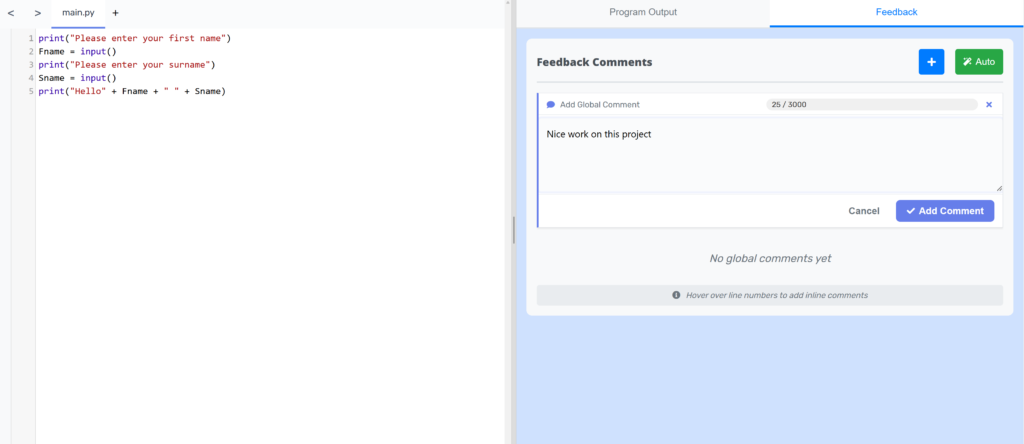
As it stands, feedback is just a single comment. You write it, students (hopefully) read it, and that’s pretty much it.
I thought I could do better. So I’ve rebuilt the entire feedback system from scratch. Here’s what’s coming – and why I think you’re going to like it.
Global Comments and Inline Comments
The core idea is simple: feedback should live where the work lives.
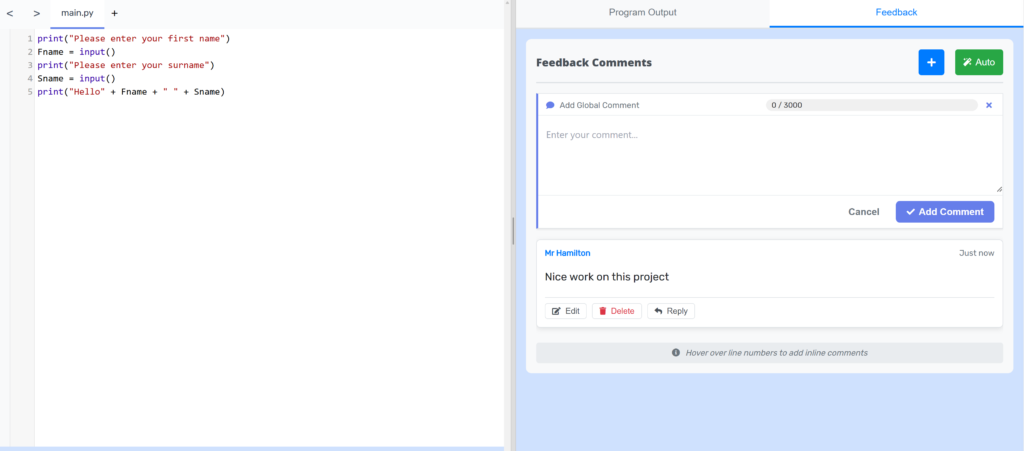
Global comments are for the big-picture stuff. You’re reviewing the entire project and want to comment on overall structure, approach, or performance. Maybe you want to say “great work on the code structure and comments” or ask “why did you choose this approach?” These are project-level conversations.
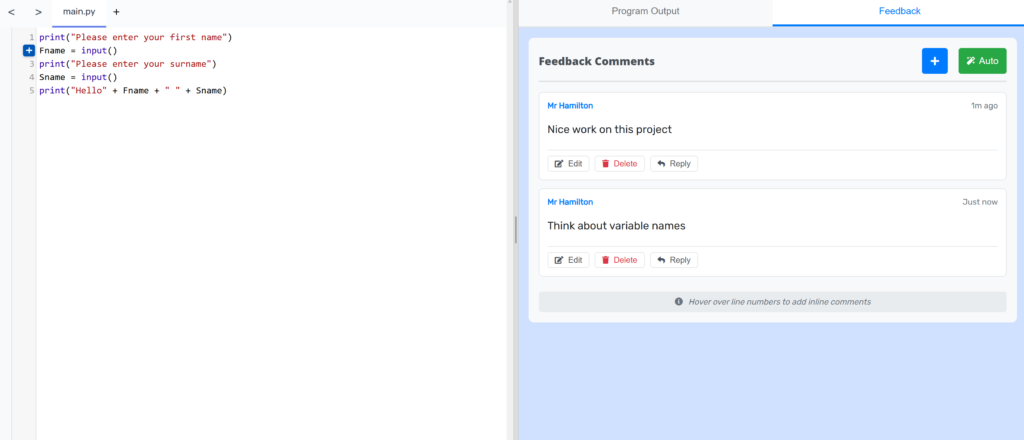
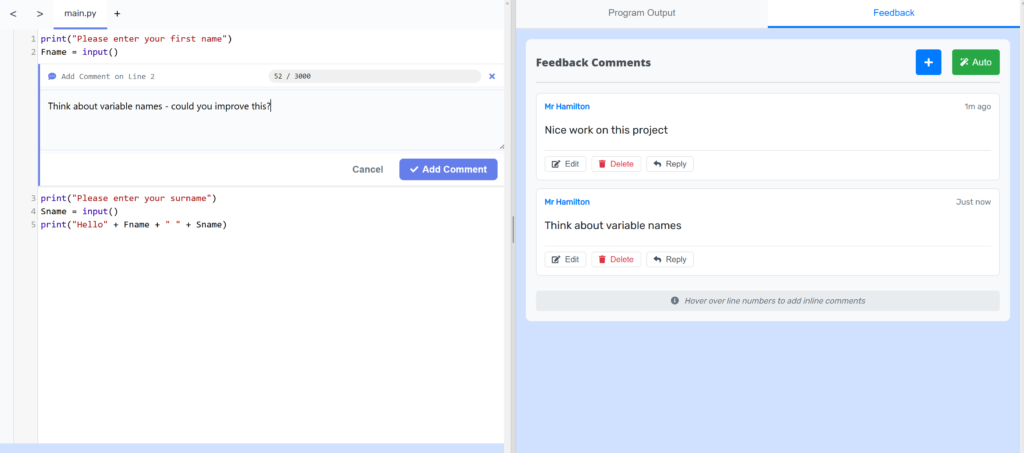
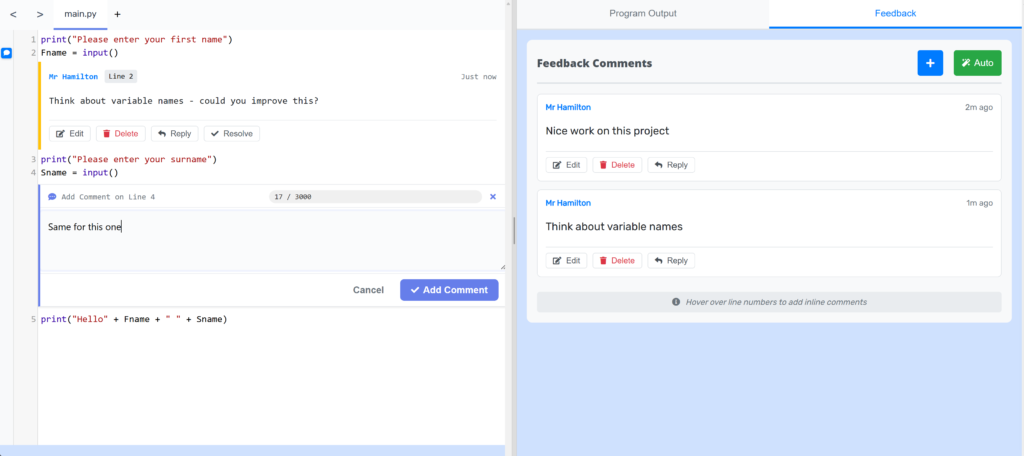
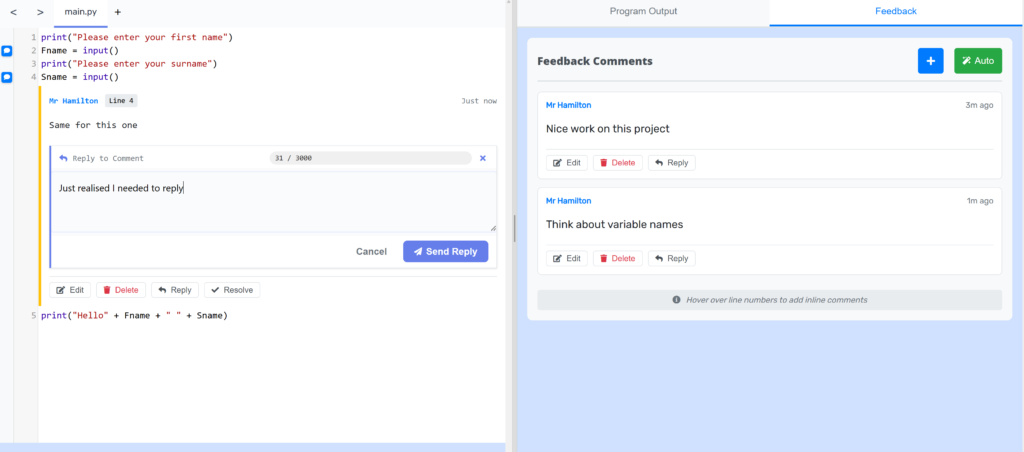
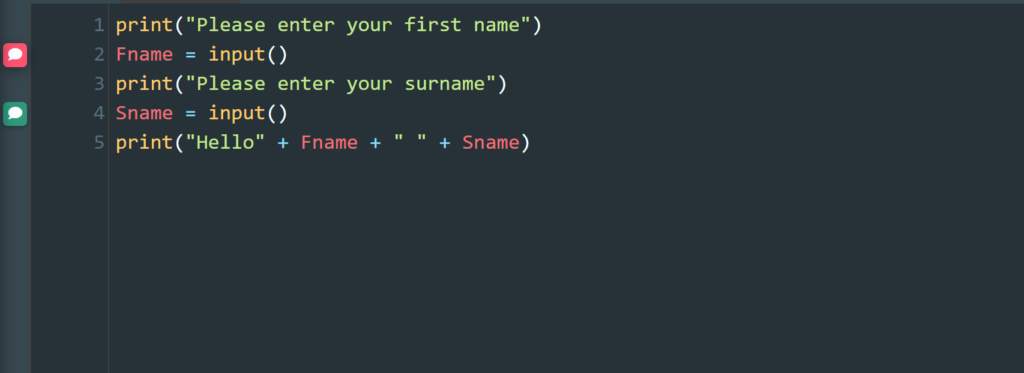
Inline comments are the game-changer. You hover over a line of code and add a comment right there. Now when you write “this could be more efficient,” the student sees it attached to the exact line where efficiency matters. No more “what did the teacher mean?” confusion.
def calculate_average(numbers):  # "Nice use of a function"

    total = sum(numbers)  # "Good – built-in functions beat loops"

    return total / len(numbers)  # "What if numbers is empty?"
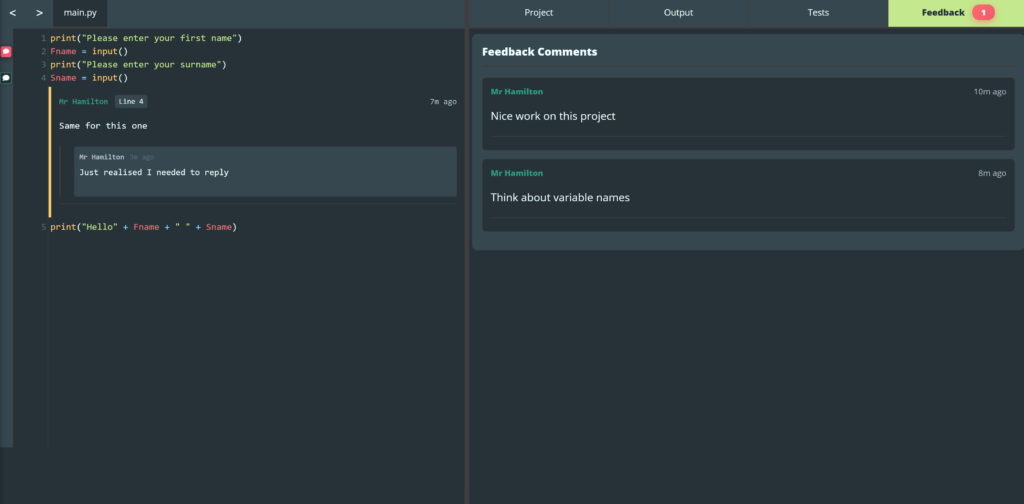
Every comment, global or inline, is a conversation thread. You post feedback. The student replies. You clarify. Back and forth, as much as needed. It’s actual dialogue.
Notifications
So in the old system, students sometimes didn’t know feedback existed. It just sat there. Students also couldn’t have dialogue with you as the teacher either and there was no indication the student needed advice or guidance.
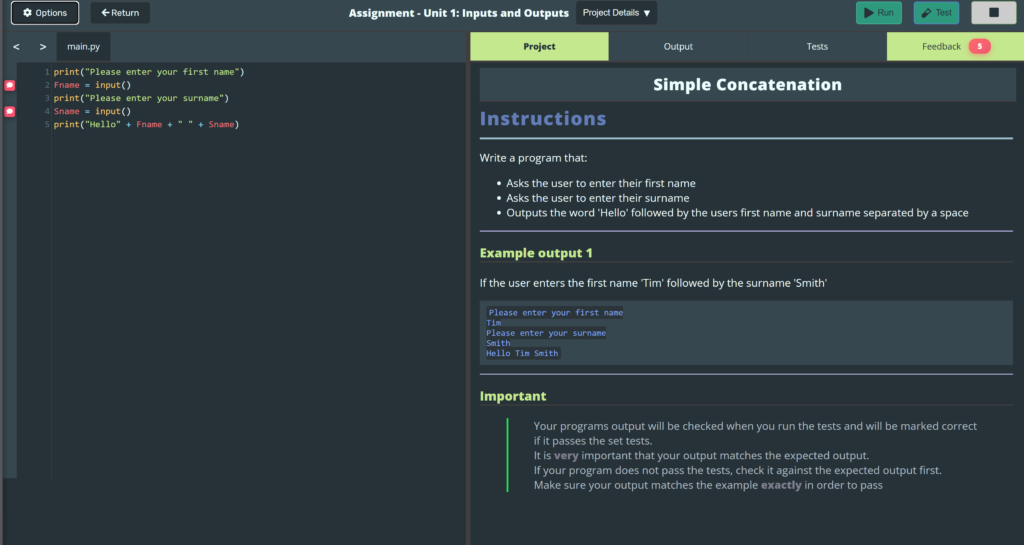
Now when you leave feedback, the student gets a notification. They see exactly what’s new. They don’t have to hunt. And they can see if they’ve already read something or if it’s waiting for them.
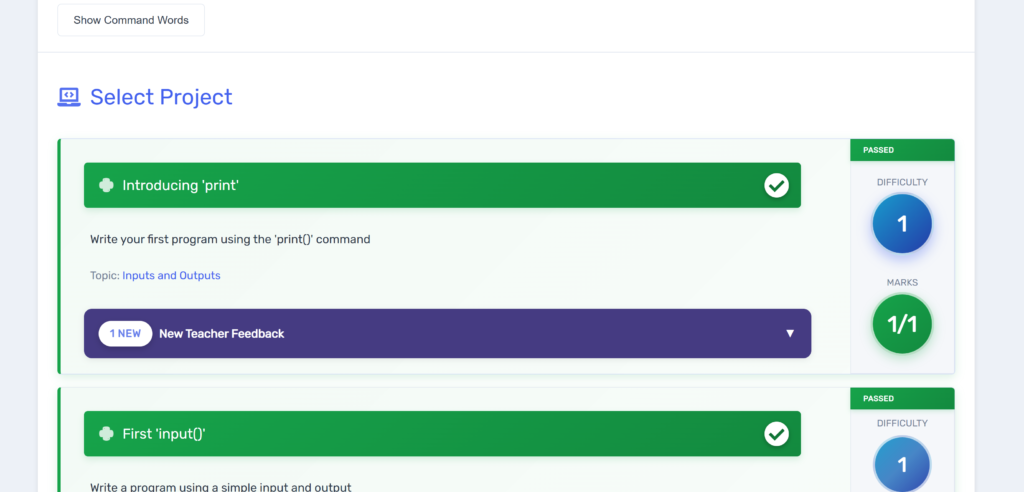
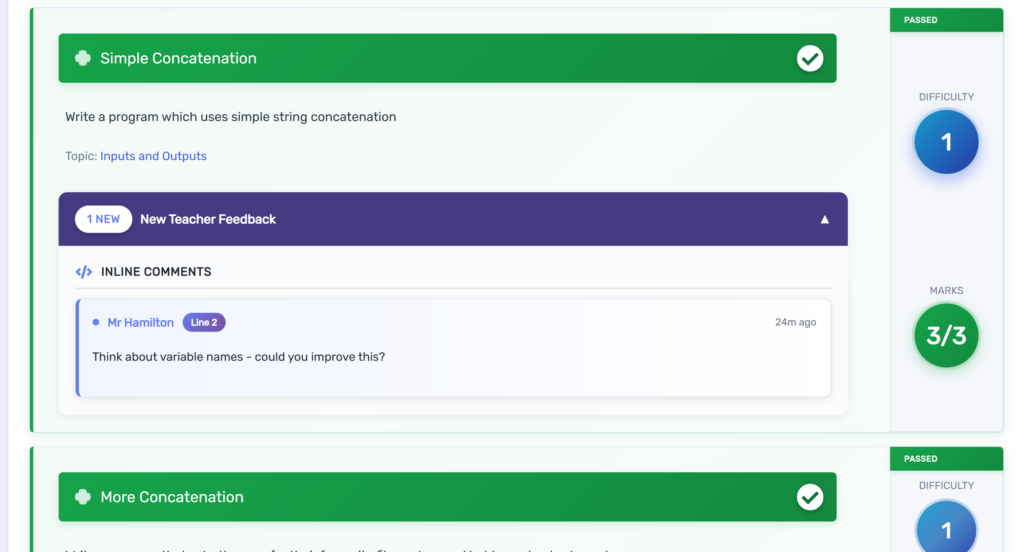
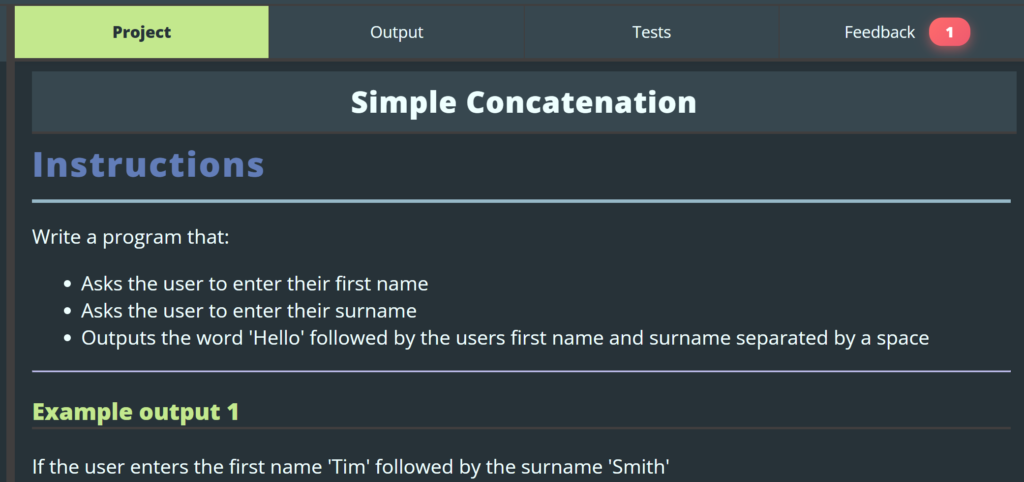
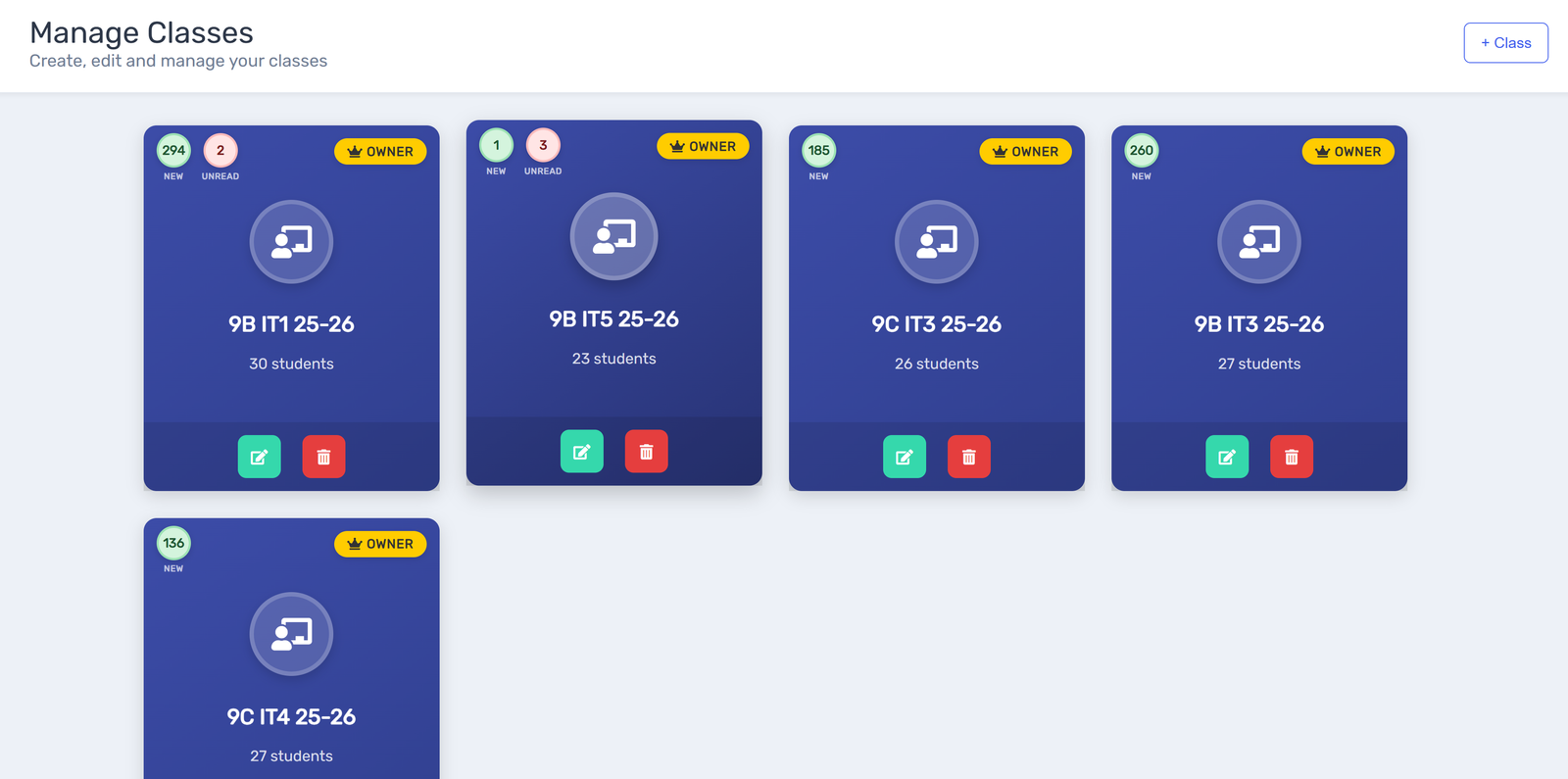
The same goes for teachers. If a student replies or sends a message, you get notifications and clear signposting throughout. When viewing your class list you can now see if there are projects to mark, and comments unread.
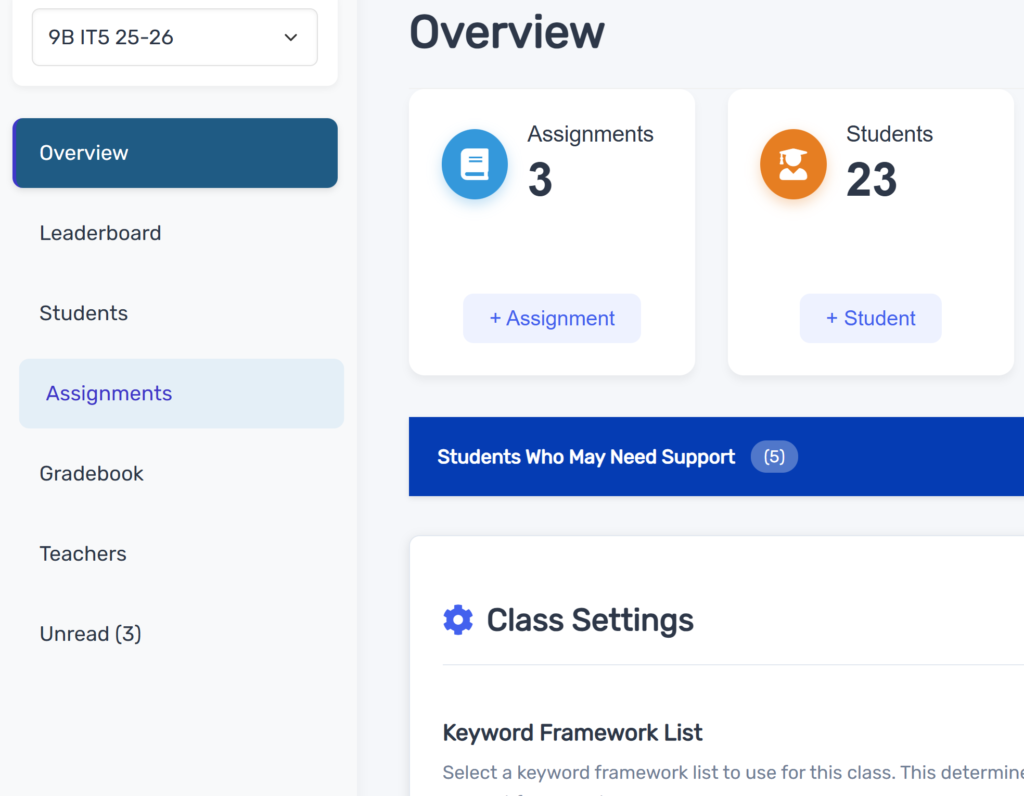
Within the class, comments that are unread now live in their own tab so you can quickly go to the projects that need to be responded to.
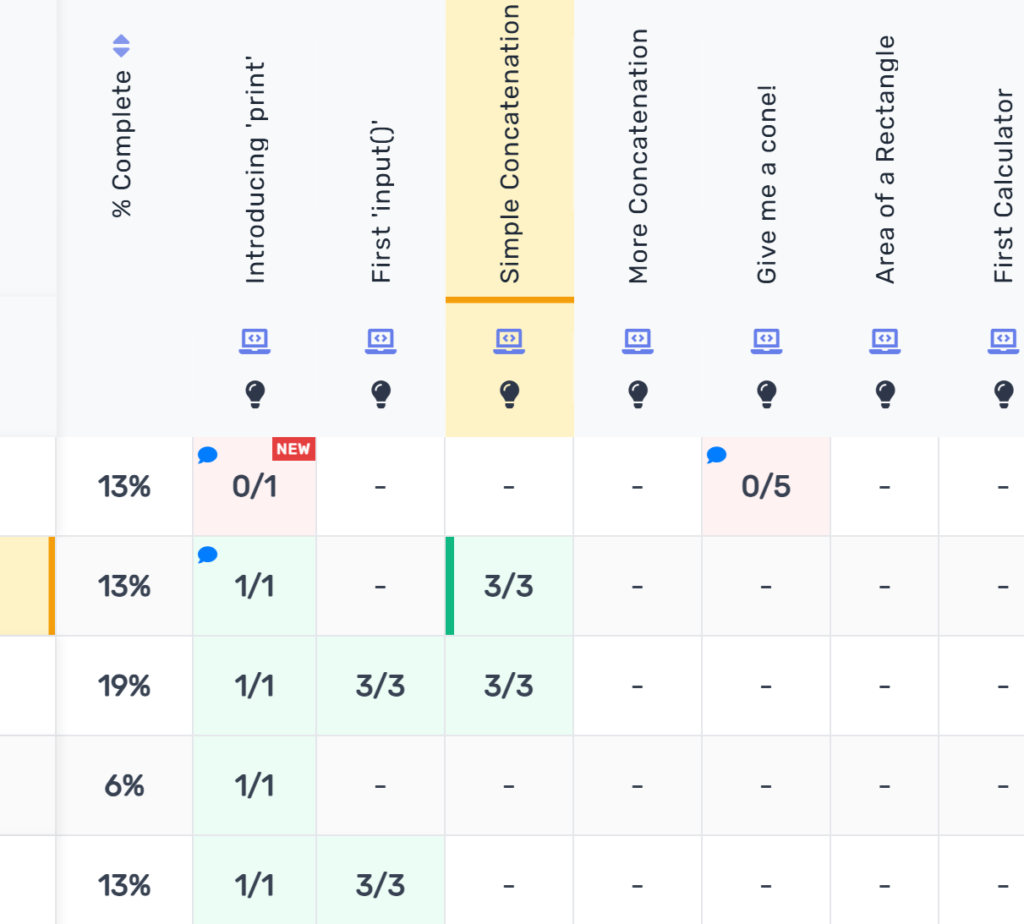
The gradebook also contains new icons to indicate comments are waiting and once inside a project, comments that are new and unread are clearly highlighted.
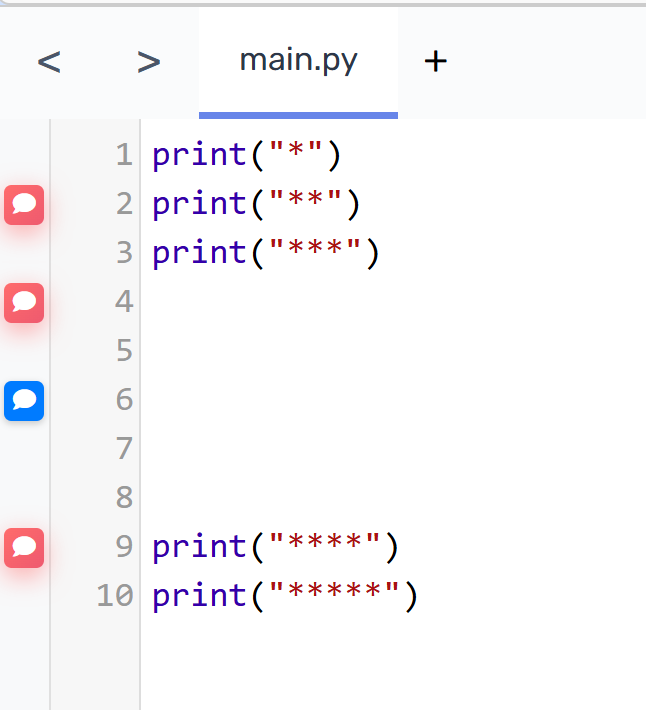
It’s simple, but it works. Feedback actually gets seen.
Teacher is always in control
Not every student is ready for the same level of interaction. So there is a built in simple permission system.
You can set each student to one of three levels:
Mute: They see all your feedback, but can’t reply or create new comments. Sometimes students need to focus without distractions. This gives you a way to manage that without completely blocking them out.
Reply Only: They can respond to your comments and ask questions, but can’t start new comment threads. This is the default and it works well – they engage with your feedback instead of going off on tangents.
Full Access: They can do everything. Start new discussions, reply, the whole thing. Great for collaborative work or students ready for open interaction.
You change permissions right from the student list. Takes a second. No page refreshes. If a student needs a change in interaction level, you adjust it immediately.
Where comments live
In the code editor: Both global comments for the whole project and inline comments on specific lines.
On assignments: Feedback tied to submissions.
In the grader: Comments on student work with full conversation history.
Basically anywhere students are working, teachers can leave feedback that matters.
Why this matters
It’s specific. Comments are tied to exact lines of code rather than vague general feedback. Students know exactly what you mean.
It’s conversational. Back-and-forth feedback beats one-way feedback. Students can ask questions. You can clarify. Real understanding happens in that dialogue.
It’s visible. Clear notifications mean students actually see your feedback instead of missing it. Notifications matter.
It’s human. You can edit your thoughts, students can ask questions, conversations can meander into unexpected places. It feels like actually talking to someone, not just getting graded.
Finally…
As I say, this should be out next week. It’s quite big change so I still have some testing to do. However, I really hope you like the update when it comes. This system is built on requests from you and it will keep evolving based on what you tell me.
I still think there is a bit of tidying up to do so if you spot anything you’d like improving or changing let me know.
Got questions? I’m here. Feedback on the feedback system? I’d love to hear it. Ideas? Even better.
Until next time..
Leave a Reply